
First connection
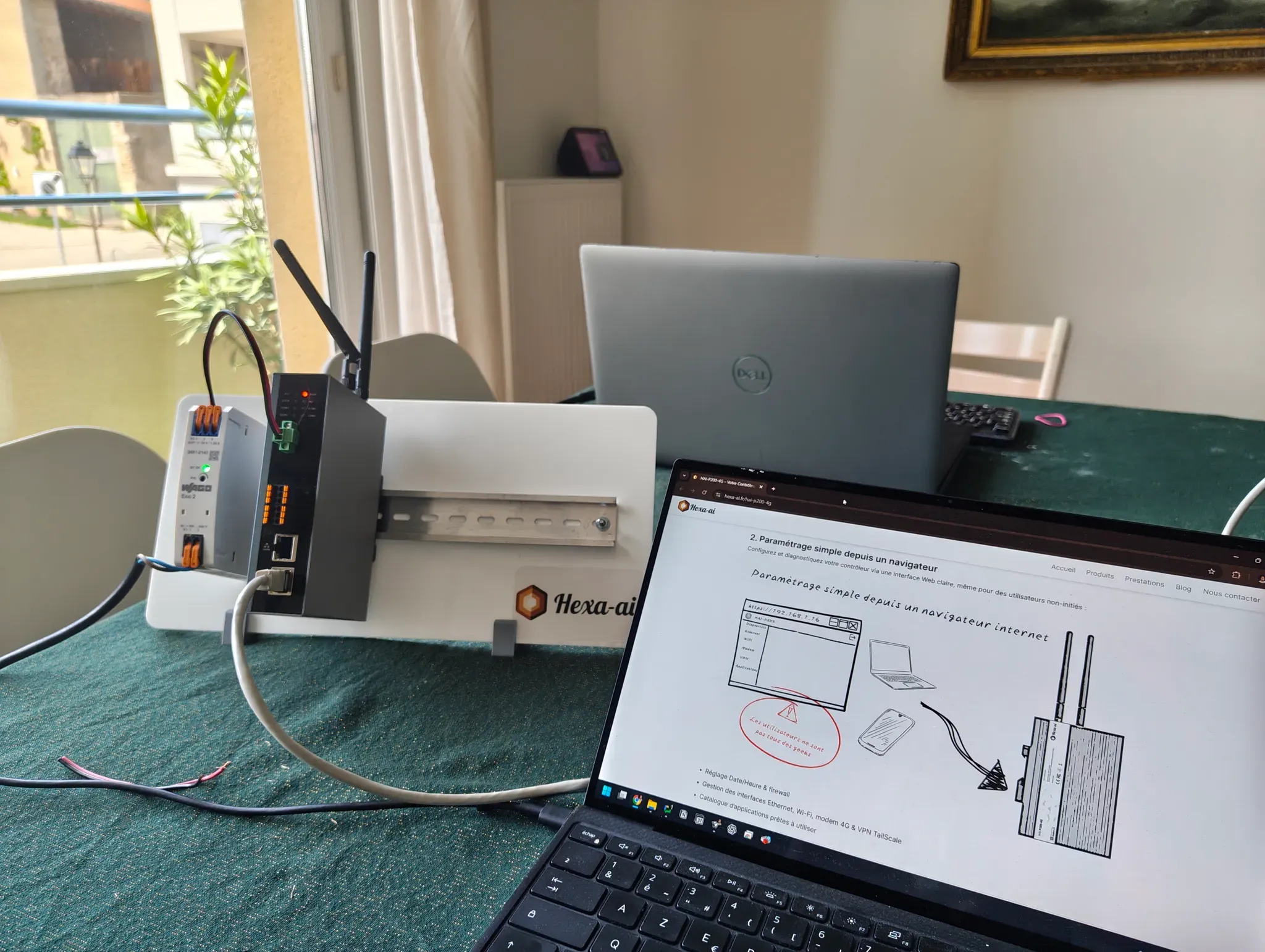
Here is an overview of a first connection to the HAI-P200-4G. Power your controller with 24 VDC — in our case we used an Eco 2 supply from our long-standing partner WAGO Contact (part number 2687-2142). Plug your PC into the lower Ethernet port and give it a static IP address, 192.168.1.5 for example.
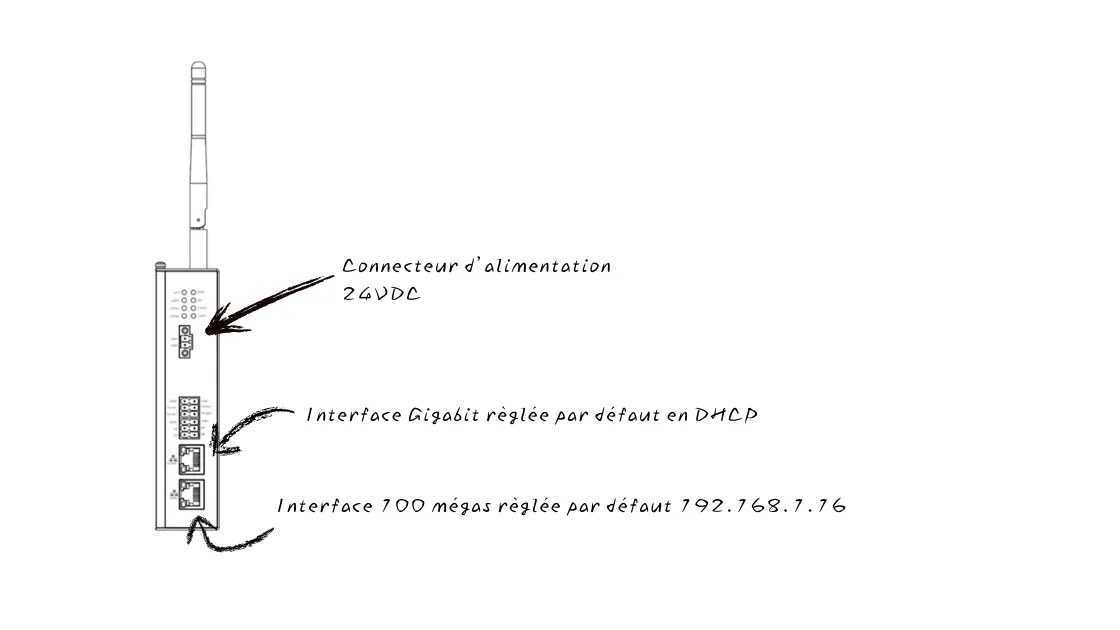
The HAI-P200-4G’s two Ethernet interfaces are set by default to DHCP for the upper port and to a static IP for the lower one (address: 192.168.1.16).
To connect, type the IP address 192.168.1.16 into your browser’s address bar and log in (user admin, password hai1@). Since the connection is over HTTPS, a security message about the certificate should appear in your browser on first access: confirm it to log in.