
History
The history shows how a box’s variables change over the period of your choice. You reach it with the Historique (History) button on the box page.
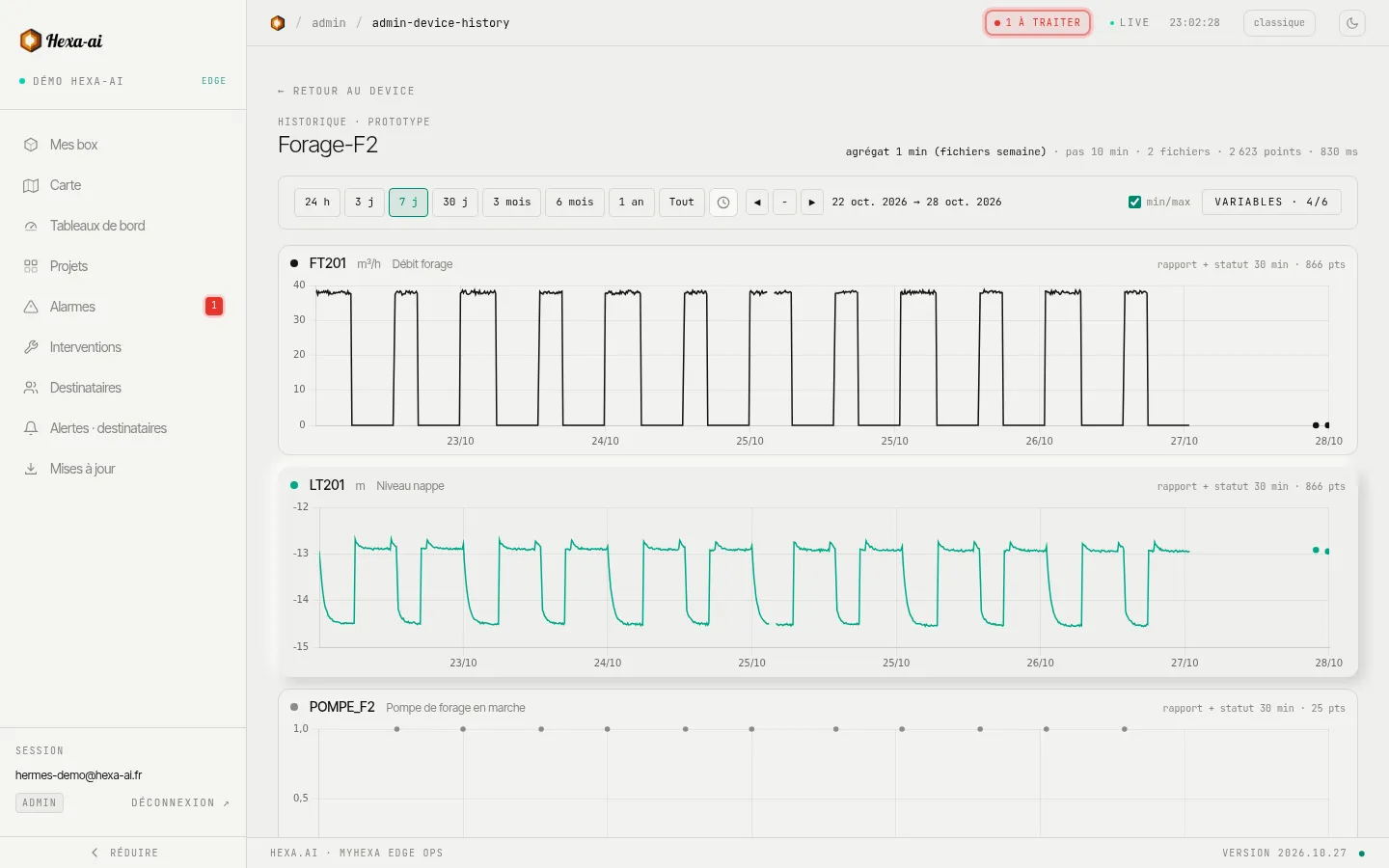
Choose what to display
Section titled “Choose what to display”- Variables: tick the ones to display (search by name, tout cocher (tick all), aucune (none)). Each variable has its own chart, with its unit.
- Période (Period): duration buttons at the top of the page, or Tout (All) for the whole history.
- Navigation: ◀ and ▶ to move back and forward, − to zoom out.
- min/max: ticked by default; shows the minimum-maximum envelope in addition to the average, so you do not miss a peak.
On a chart, click and drag over the area that interests you: the period narrows to it. Hovering shows the exact date and value.
Long periods: what you see
Section titled “Long periods: what you see”Over several weeks, a box has recorded far more values than the screen can display. The portal then splits the period into time buckets (at most 1,500 per variable) and keeps the average, the minimum and the maximum for each. The curve plots the average; the min/max option shows the envelope, so a brief peak stays visible. Counters (volumes, energy) are totalled per hour, per day or per week, depending on the period displayed.

Narrow the period (or zoom in) to get back to point-by-point detail.
Good to know
Section titled “Good to know”- The history depends on what the box records: only variables that are logged on the box appear in it.
- Data arrives in batches: the last few minutes may not be there yet. The live value remains visible on the box page.