Share a dashboard
You can show a dashboard to a partner, an end customer or an engineering firm, without opening up the rest of your account.
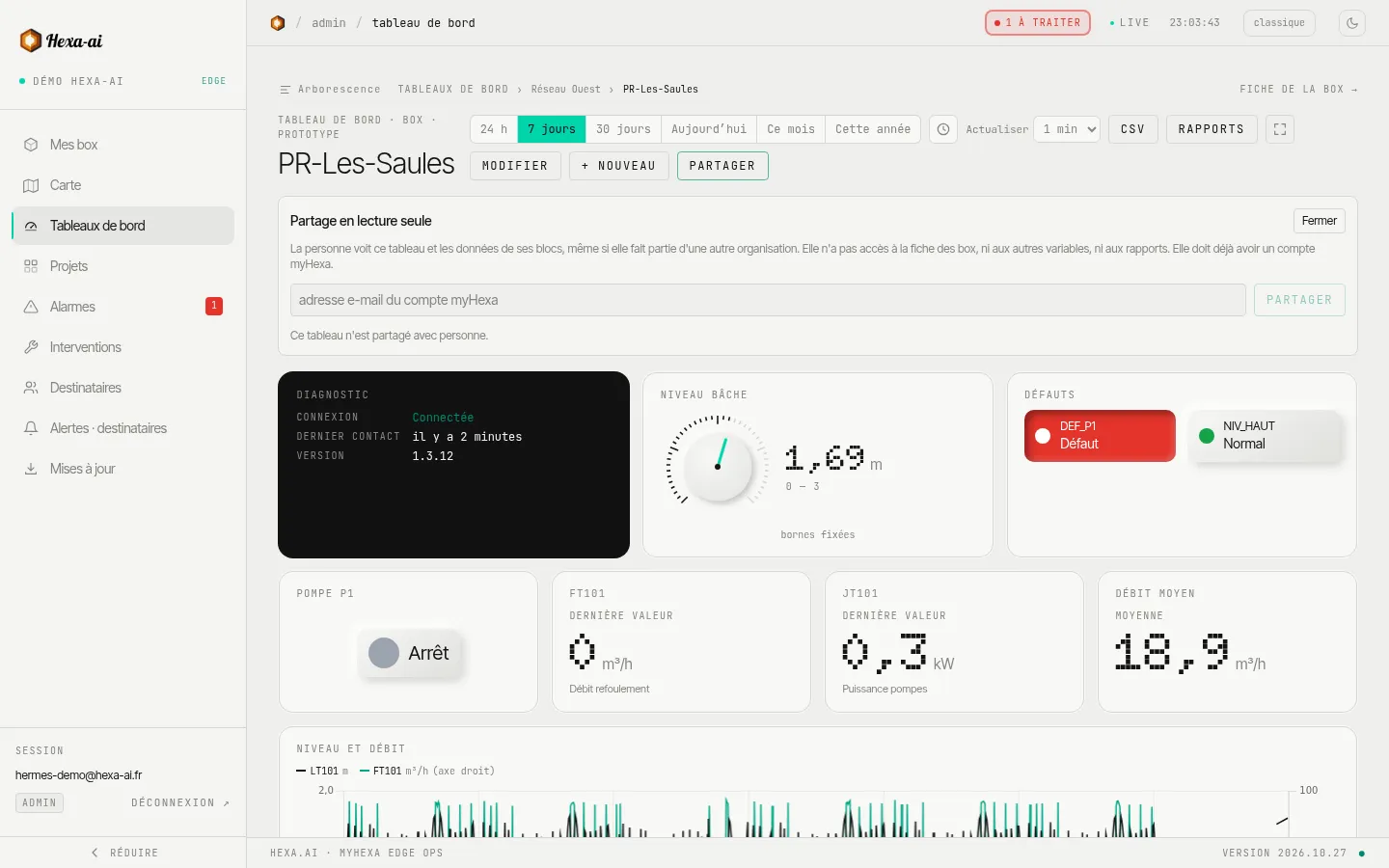
- Open the dashboard, then Partager (Share).
- Enter the email address of the person’s myHexa account.
- Confirm: the dashboard appears in their portal.
Sharing is restricted to administrators, for dashboards that cover your company’s boxes. The person must already have a myHexa account; they find the dashboard under Partagés avec moi (Shared with me). A dashboard can be shared with 50 people at most. The Retirer (Remove) button cuts off access immediately.
What the invited person sees
Section titled “What the invited person sees”- The dashboard, read-only: they can neither edit it nor share it again.
- Only the data of the dashboard’s blocks: not the box page, nor the full history, nor your other boxes.
- Only the documents placed in a Documents block of the dashboard.
To give access to a whole box, see Users and access instead.