
Periodic reports
A report automatically emails the content of a dashboard, every day, every week or every month.
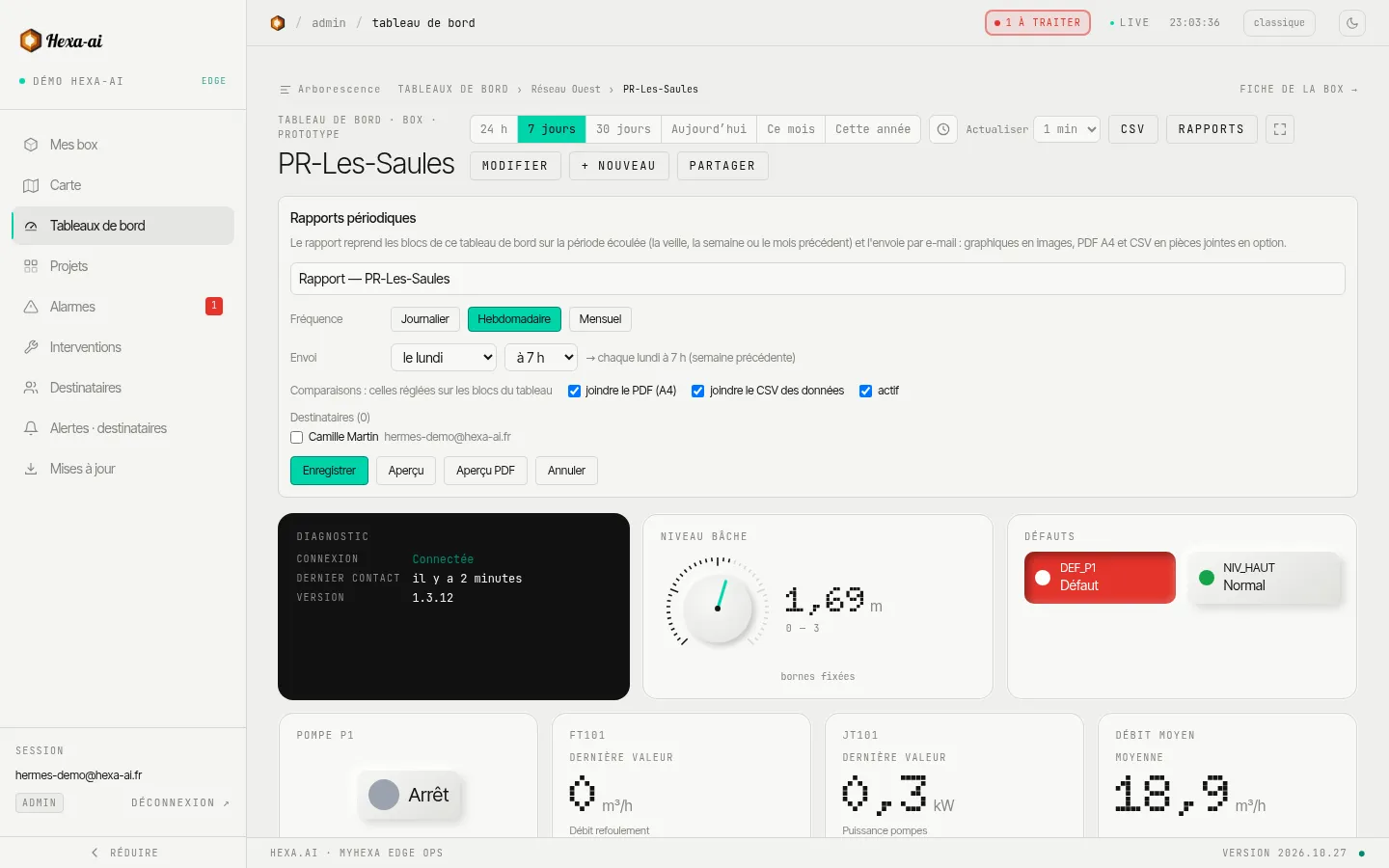
Create a report
Section titled “Create a report”- Open the dashboard, then Rapports (Reports).
- + Rapport (Report) (administrators only), and give it a name.
- Choose the frequency (Journalier (Daily), Hebdomadaire (Weekly), Mensuel (Monthly)), the day and the time of sending.
- Tick the attachments: PDF (A4 format) and/or CSV des données (data CSV).
- Select the recipients from the people in your company.
- Enregistrer (Save).
The report covers the elapsed period: the previous day for a daily report, otherwise the previous week or month. Comparisons are the ones set on the dashboard blocks.
Check before sending
Section titled “Check before sending”- Aperçu PDF (PDF preview): the document as it will be sent.
- Aperçu (Preview): the email, in desktop and phone versions.
- Envoyer maintenant (Send now): an immediate send, outside the schedule.
Logo and tracking
Section titled “Logo and tracking”- Logo des rapports (Report logo): add your company logo (PNG or JPEG, 2 MB maximum). It is shared across the whole company and appears at the top of the emails and PDFs.
- Derniers rapports générés (Latest reports generated): period covered, recipients, and access to the PDF and CSV of each send.
A report can be disabled without being deleted.